What Should You Expect From a Done-for-You Outbound Program in the First 90 Days in 2027?
By Bhushan Raj ShakyaSEO Specialist
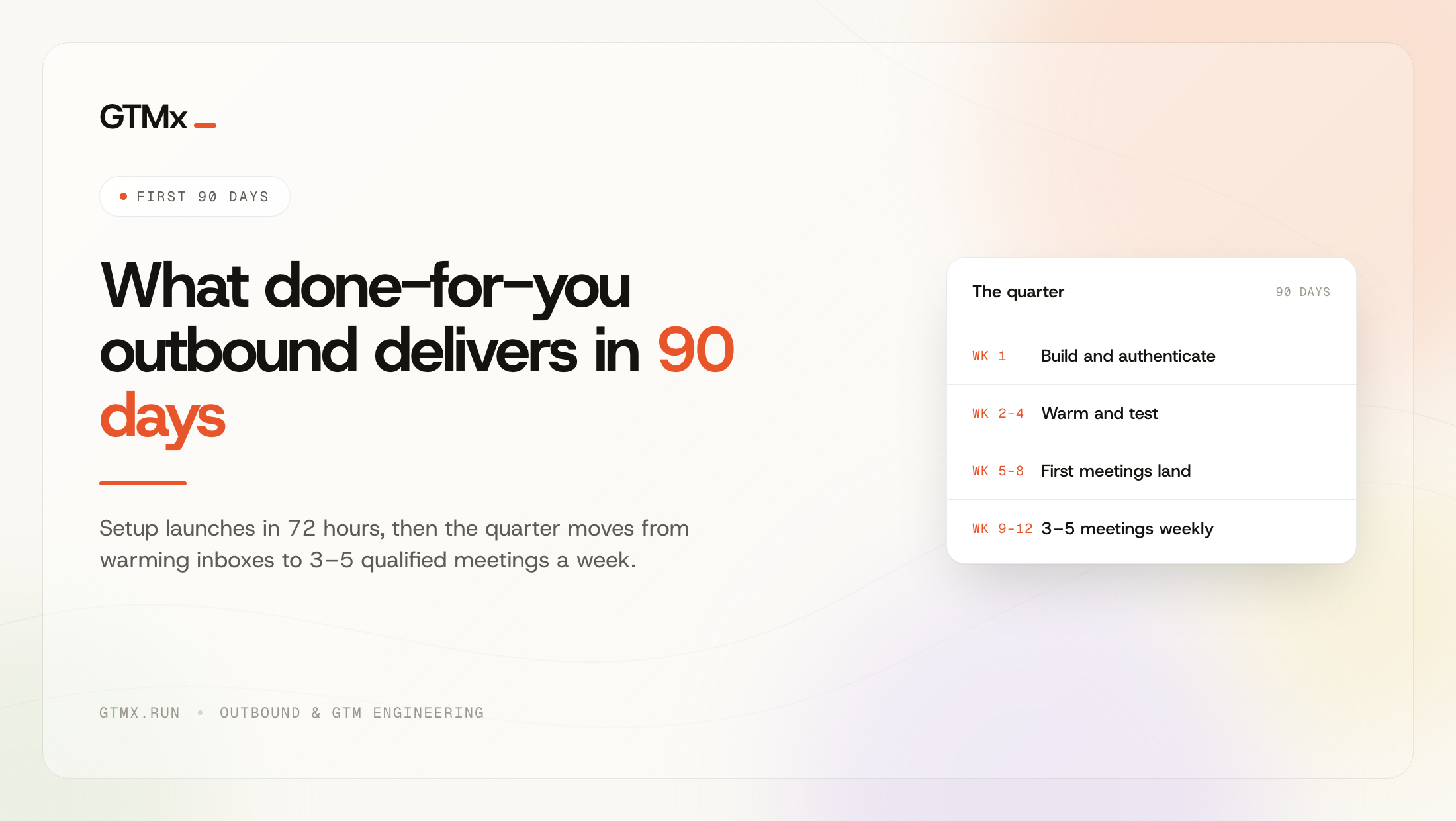
A successful done-for-you outbound program moves, in its first 90 days, from technical setup and inbox warm-up to improving copy based on live replies. GTMx states a 72-hour launch with pre-warmed inboxes and aims for 3 to 5 qualified meetings a week. That is a target, not a guarantee.
TL;DR A successful done-for-you outbound program moves, in its first 90 days, from technical setup and inbox warm-up to improving copy based on live replies. GTMx states a 72-hour launch with pre-warmed inboxes and aims for 3 to 5 qualified meetings a week. That is a target, not a guarantee.
The expected timeline for a done-for-you outbound in 90 days plan has changed. It moved from weeks of slow planning to immediate technical action. Read this guide to learn what happens week by week, from domain setup to hitting real pipeline targets.
Key takeaways
- Setup and secondary domains must go live within the first 72 hours.
- Inbox providers demand a strict warming period before you can send safely.
- Data waterfalls find much better leads than static bought lists.
- Human writers craft the emails, keeping words strictly below 75 total.
- Sequences mix email, social touches and same-day phone calls for high impact.
- True success means counting qualified meetings held, not just open rates.
What happens in the first 72 hours of a done-for-you outbound program?
A modern done-for-you outbound program begins with technical setup, mapping your total addressable market and buying secondary domains within three days.
Why avoid sending from your primary corporate domain?
Sending bulk emails from your main domain risks your good name. We always buy secondary domains that redirect smoothly to your own website.
GTMx never sends from a client's primary domain. This strict rule keeps your core brand safe while scaling cold email outreach safely. Protecting your main domain ensures your internal staff never face sudden email outages.
How do you secure DNS records for deliverability?
Good setup needs strict alignment with provider policies. Every new domain needs SPF, DKIM and DMARC records added right away. We configure these technical settings before sending a single test message.
Missing these records means your emails hit the spam folder instantly. It proves to major inbox providers that you operate a real, verified business.
How many secondary domains do we need to buy?
The final count depends on your total addressable market and daily sending limits. A standard setup often involves three to five domains with two mailboxes each.
Spreading sends across many inboxes keeps each inbox's daily volume low. GTMx caps cold sending at 15 emails a day per Google inbox and 10 per Microsoft inbox, with three inboxes per secondary domain.
How do you manage spam complaint thresholds?
Google Postmaster Tools caps user-reported spam complaints firmly below 0.30%, based on their 2026 guides. A safer operational goal involves keeping this daily rate below 0.10%.
Checking these numbers from day one protects your long-term domain health and helps your emails reach the main inbox. GTMx monitors deliverability daily.
Week one to two, automated inbox warming and data steps
The first two weeks focus on automated mailbox warming and building smart lead lists based on real intent signals.
How long does domain warming take?
Mailbox providers demand a minimum 14 to 21 day warming period to build sender trust. During this phase, automated tools send and reply to internal emails across a safe, closed network.
Skipping this vital step triggers fast spam filters. We use this mandatory wait time to finish building your exact targeting lists. The warming process mimics normal human sending patterns.
Why build data waterfalls for accuracy?
Waterfall enrichment queries multiple data tools in a specific order. If one provider fails to find an address, Clay automatically checks another database until it secures a valid result.
This method works much better than buying static, outdated lists. We build these custom workflows to ensure you only email real buyers. Accurate data prevents hard bounces and protects your email reputation.
How do you define your initial total addressable market?
Your first list targets the most likely buyers using real intent signals. We map out your core buying committee and sort them by recent job changes or company growth markers.
Targeting groups with an initial total addressable market above 20,000 accounts gives enough data for clear testing. A broad pool allows us to find the most responsive segments quickly.
What can you expect from done-for-you outbound in month one?
By the third week, your setup turns into live market testing, delivering the first real replies to your team.
What to expect from done for you outbound in month one?
Expect your technical setup to run fully and your first tests to launch by week three. A done for you outbound program should bring early replies, give quick feedback on word choices, and set a clear baseline for changing copy based on live market responses.
Who writes the outbound copy?
Human writers draft the text from scratch. They keep messages to a strict maximum of 70 to 75 words.
We use AI for research and scale, but humans edit every single draft. Founders approve lead lists and specific words before anything goes out to the public. You retain total control over your brand messaging.
Launching the first sequence in B2B SaaS
The first sequence tests specific hooks against different buyer groups. For B2B SaaS, the buying group holds technical and financial staff, sales cycles run 45 days, and outreach relies heavily on software signals.
Holidays and budget cycles change buyer response times, so expect replies to slow in late December and plan your 90-day calendar around them.
How do you handle the first positive replies?
GTMx manages reply sorting straight from a shared daily dashboard. Our triage team labels responses and routes the positive ones directly to your sales staff.
These early chats give the exact words buyers use to name their pains. We use this live feedback to fix the next batch of emails right away. Adapting to real market feedback beats guessing.
Month two, introducing weekly multi-channel steps
The second month adds social and phone touches to your email flows, engaging your refined prospect lists.
Expanding into social channels
LinkedIn outreach builds familiarity shortly after the first email touch. Sent directly from your own profile, we rewrite the words just for the platform.
LinkedIn does not publish an official weekly invitation cap, and practitioners commonly observe about 100 connection requests per week. We respect these limits to protect your account. Multi-channel touches increase the chance of a positive reply.
Connecting channels with phone outreach
Triggering same-day warm calls targets only the leads who open, click or reply to your notes. We only phone prospects who already show active digital intent.
Calling active leads the same day turns mild interest into a booked slot. Most successful meetings happen after this second channel touch. Prompt phone follow-up proves your team is attentive and ready to help.
Preventing calendar conflicts
We link directly with your CRM tool to manage open times safely. Direct calendar links ensure meetings route to the right sales reps automatically.
A clean bi-directional sync logs every action clearly. It keeps your sales team fully informed with clear context notes before they join the call. Reps enter the meeting knowing exactly what the prospect wants.
Month three, measuring success and changing course
By month three, the engine runs on a steady cycle of testing and daily review. Measuring success means looking at meetings held and pipeline value, not high open rates.
Comparing metrics that drive revenue
| Metric Category | Vanity Metric | Revenue Metric | Why It Matters |
|---|---|---|---|
| Email Results | Open Rate | Positive Reply Rate | Opens are skewed by privacy tools, but replies show real interest. |
| Meeting Generation | Leads Sourced | Qualified Meetings Held | Sourced leads cost cash, but held meetings build actual pipeline. |
| Network Growth | Connection Rate | Inbound Messages | High acceptance without real chats means your wording lacks urgency. |
| Campaign Scale | Total Emails Sent | Cost Per Qualified Meeting | Sending volume alone ignores the true efficiency of your outbound spend. |
Choose revenue metrics if you want to track real pipeline growth clearly. Choose vanity metrics if you only want to measure basic technical traits.
Setting a meeting target
A basic goal aims for 3 to 5 qualified meetings on your calendar every week. To find expected pipeline, use: (meetings x show rate) x average deal size.
Compare your meeting volume with what your team can actually handle. If meetings arrive faster than your reps can hold them, slow the volume instead of letting leads go cold.
Iterating based on data
We test words every week to improve conversion rates. Instantly's 2026 benchmark report found 42% of replies come from follow-up emails, which is why every sequence includes follow-ups.
Testing refines subject lines, calls to action and the main value offer continuously based on hard numbers. We drop the lowest performing templates every single month. This relentless cycle drives long-term pipeline growth.
Filtering out unqualified prospects
Agencies often book calls with bad leads just to hit a basic agreed quota. A structured setup qualifies prospects on the phone before booking the formal meeting. We confirm their role, company size and current pain points.
Aligning targets with your exact buyer profile stops your sales team from wasting time on bad fit chats. Strict qualification protects your calendar.
Build Your Automated Outbound Engine
See how GTMx builds the engine: secondary sending domains live in 72 hours, waterfall TAM lists tiered by signal in Clay, human-written copy at 70 to 75 words, and same-day warm calls on anyone who engages.
View The Core Service Details. →
Managing global rules and data laws
Running a global outbound system needs strict care for regional data laws, sorting lists to ensure legal processing and direct marketing safety.
Targeting prospects in different regions
Under the UK PECR, firms can contact corporate buyers without prior consent, if you offer an instant opt-out. Conversely, Germany strictly forces opt-in consent for B2B marketing.
We build these legal walls into your early data workflows. We exclude protected regions from standard cold email campaigns. This is general guidance and not legal advice.
Understanding legitimate interests
A legitimate interests assessment is how UK-based senders typically justify processing personal data for B2B direct marketing without prior consent. The UK Information Commissioner's Office guidance applies this to corporate subscribers, not to sole traders and some partnerships. Document your reasoning clearly. This is general information, not legal advice.
Writing this document protects your business if a prospect ever questions your data sourcing. We guide clients on holding this vital paperwork on file.
Handling opt-outs and global suppression
A unified block list stops accidental contact across all active mailboxes. We sync opt-outs directly to your CRM, ensuring total compliance globally. Honouring opt-outs immediately is a strict legal requirement in every major market.
How do you transition from a service dependency to system ownership?
The true worth of a managed outbound deal lies in owning the final system, rather than renting access to a secret agency database.
What happens if we cancel?
Many agencies keep the data and tools when you leave. GTMx builds workflows, sending limits and lists entirely in your own accounts, under your logins, so you keep the system when the engagement ends.
If you switch to an internal team, you keep the whole system. You simply revoke our access and continue running the exact same successful sequences.
Moving past basic playbooks
A plan based only on static lists will fail to scale. Mixing data waterfalls and live intent signals builds a dynamic flow.
We find that relying on outdated sales playbooks hurts growth, mostly when plain templates fail to address specific executive pain points. Modern outbound requires constant adaptation to market feedback.
Tracking results clearly
Clients get a shared live dashboard detailing daily reply data, booked meetings and pipeline value. You see exactly how many emails it takes to book one call.
You can log in daily to read the exact notes your prospects send, ensuring total control of the entire sales motion. Full transparency builds trust between your leadership team and our daily operators.
Small changes drive pipeline
In GTMx's Vidify case study, GTMx improved deliverability by removing open tracking and cutting images and HTML from the emails. The campaigns sent 144.5K emails.
The result was 54 opportunities in a single month and over $133,000 in pipeline. Small technical details like these protect your return on investment.
Preparing your internal team for new pipeline volume
Handling new meeting volume needs a sales team ready to process, qualify and close fresh deals. Without prompt follow-up, the pipeline will stall and die.
Improving meeting show rates
Show rates depend highly on how quickly your team confirms the invite and gives value before the call. An active prospect booked via a warm call usually shows up.
Sending a helpful pre-call agenda helps seal their commitment and cuts down on missed meetings. Reminding them of the specific pain point discussed ensures they arrive ready to talk business.
Managing positive handovers
Positive replies filter through our triage team and sync to your CRM right away. The faster your sales reps take over a warm chat, the higher the win rate.
Treating an interested reply with the same rush as an inbound form fill speeds up deal velocity. Buyers respect vendors who reply quickly with clear, helpful answers to their initial questions.
Reviewing the true costs
Bridge Group's 2025 SDR research found an average ramp time of about 3.0 months and about 40% median annual attrition, which is why many teams compare an in-house hire with a done-for-you program. A basic done-for-you outbound program starts from $6,500 a month (GTMx's Engine package).
Calculate the fully loaded cost of your SDRs (estimates range from roughly $98,000 to $173,000 a year, per GenFlows) and compare it with a fixed monthly fee. This often costs less than the fully loaded cost of a premature senior sales hire.
Internal readiness checklist
- Define your core buyer profile clearly before targeting begins.
- Ensure your CRM instance accepts bi-directional syncs for lead tracking.
- Allocate daily calendar blocks for your account executives to take calls.
- Prepare relevant case studies to send ahead of scheduled meetings.
- Train your team to respond to positive CRM alerts immediately.
- Draft a standard discovery framework for initial qualification calls.
- Appoint a dedicated internal point of contact for the weekly review.
- Verify your sales cycle length supports a 90-day pipeline measurement.
- Set up lead scoring properties to track engagement accurately.
- Confirm your pricing model supports an average deal value worth a meeting.
Map Your First Qualified Pipeline
Book a free 30-minute GTM audit that maps where your first qualified pipeline would come from, with no pitch. Josh reviews your current motion, your addressable market and the gaps between them.
Frequently asked questions
How much time does the founder need to commit each week?
The founder must approve the initial targeting lists and messaging variants before anything goes live. Once the engine runs, expect to spend about one hour per week on a brief review call. We manage the daily replies and calendar routing directly for you.
What CRM integration comes standard with the build?
We integrate directly with HubSpot or Salesforce. This ensures every cold bounce, reply and meeting gets logged immediately. A clean bi-directional sync prevents double handling of data and keeps your account executives updated with fresh context notes before their calls.
Do we need to buy Sales Navigator licenses for our team?
Yes, running effective social outreach requires active Sales Navigator licenses for the profiles we manage on your behalf. This allows us to access advanced search filters and bypass commercial use limits on standard accounts. It remains a strictly necessary operational cost for scaling.
How does the agency define a qualified meeting?
A qualified meeting occurs when a prospect fits your exact buyer profile, operates within your target account list, and attends the scheduled call. We verify their intent during the warm calling stage. We do not count no-shows or unqualified conversations as successes.
What happens to the secondary domains if we leave after 90 days?
You retain complete ownership of the entire system. All workflows, sending domains and sequences live entirely within your own accounts. We provide a hand-off rather than a lock-in, meaning your internal team can take over immediately with no transfer fees.
Can we launch campaigns faster than the stated timeline?
Speeding up the timeline usually breaks email health. A brand-new domain should not send for about 30 days, including 2 to 4 weeks of warm-up. GTMx can launch in 72 hours because it uses pre-warmed inboxes from vendors, but volume still ramps over the first four weeks of sending. ---